Delivery Fee Checker
Price delivery by zone where you have one, and by distance from the nearest store everywhere else. Customers type their address and see the fee, the store that delivers and how long it takes.
Setup
- A Stores section (handle
stores) with a Geo Maps field (handlestoreLocation). Leave Show Location Pin on. - On stores that have a delivery zone, draw it with the polygon tool, click the shape and add two properties:
name(e.g.CBD delivery zone) andfeeas a Number (e.g.5).
One field holds both the store’s pin and its zone: distance search uses the pin, contains uses the zone.
The template
templates/delivery.twig:
twig
{% extends '_layout' %}

{% set address = craft.app.request.getParam('address')|trim %}

{% block content %}
  {# 1. Is the address inside a store's delivery zone? #}
  {% set zoneStore = address ? craft.entries()
    .section('stores')
    .storeLocation({ contains: address, country: 'AU' })
    .one() : null %}

  {# 2. If not, the nearest store within 15 km delivers, priced by distance. #}
  {% set nearest = address and not zoneStore ? craft.entries()
    .section('stores')
    .storeLocation({ location: address, radius: 15, country: 'AU' })
    .one() : null %}

  {% set zone = {} %}
  {% if zoneStore %}
    {% set shapes = zoneStore.storeLocation.getGeoJsonData() %}
    {% set zone = shapes.properties ?? shapes.features[0].properties ?? {} %}
  {% endif %}

  {% set store = zoneStore ?? nearest %}
  {% set fee = zoneStore
    ? zone.fee ?? 0
    : (nearest ? (6 + nearest.storeLocation.distance * 1.2)|round(0, 'ceil') : null) %}

  <h1>Check your delivery fee</h1>
  <form method="get">
    <input type="search" name="address" value="{{ address }}" placeholder="Delivery address" required>
    <button type="submit">Check</button>
  </form>

  {% if store %}
    <div class="answer">
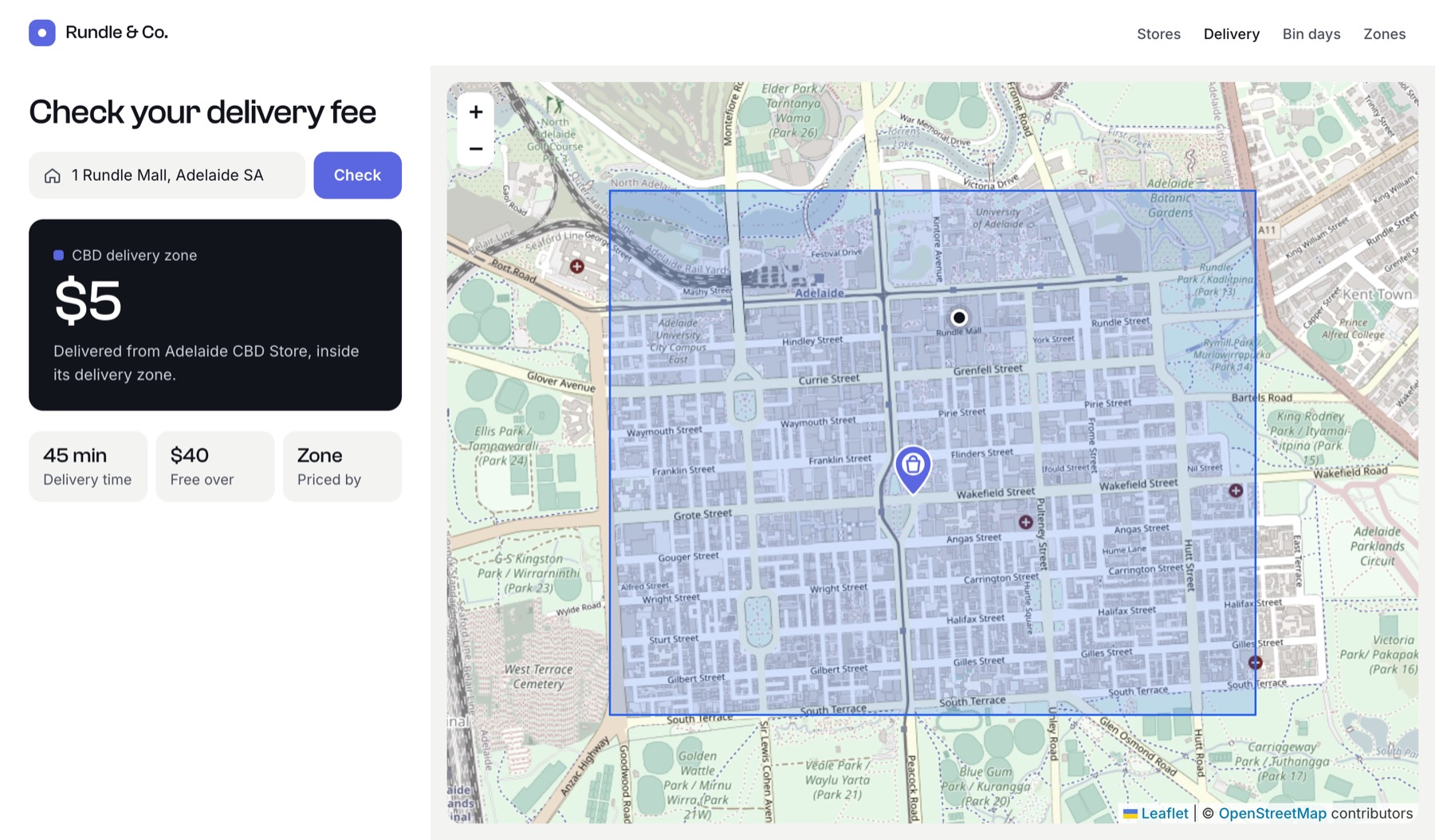
      <p>{{ zoneStore ? zone.name ?? 'Delivery zone' : 'Outside our zones' }}</p>
      <p class="fee">${{ fee }}</p>
      <p>
        Delivered from {{ store.title }}
        {{- zoneStore ? ', inside its delivery zone.' : ', ' ~ nearest.storeLocation.distance|number_format(1) ~ ' km away.' }}
      </p>
    </div>

    {# The store's pin and zone, plus a dot at the customer's address #}
    {{ store.storeLocation.embed({
      width: '100%',
      height: 480,
      markers: [
        { location: { lat: store.storeLocation.lat, lng: store.storeLocation.lng }, label: store.title, icon: '/images/store-pin.svg' },
        { location: address, label: address, icon: { url: '/images/you-are-here.svg', width: 28, height: 28 } },
      ],
    }) }}
  {% elseif address %}
    <p>Sorry, we don’t deliver to “{{ address }}” yet.</p>
  {% endif %}
{% endblock %}
How it works
- Zone first.
containsfinds the store whose drawn zone covers the address. The fee comes from the shape’sfeeproperty, so staff can change prices in the control panel without touching templates. - Distance second. Addresses outside every zone fall back to the nearest store within 15 km, with a fee of $6 plus $1.20 per km. Change the formula, or replace it with tiers:
twig
{% set km = nearest.storeLocation.distance %}
{% set fee = km < 5 ? 8 : (km < 10 ? 12 : 18) %}- Each address is looked up once. Both queries geocode the same address, and results are cached for 30 days, so the second query costs nothing.
- Markers can be addresses. The “you are here” dot passes the address string as
location;embed()geocodes it the same way.
Charging at checkout
Work out the fee again on the server when the order is placed, using the same queries. Never trust a fee sent back from the browser.