Configuration
Configure Geo Maps in the control panel under Settings → Geo Maps, or with a config/geomaps.php file.
Map Providers
Geo Maps works without any API keys. Add a Google key when you want Google’s map tiles, Places search or static map images.
| Feature | Without a Google key | With a Google key |
|---|---|---|
Map tiles (control panel and embed()) | OpenStreetMap, or any tile URL you set | Google Maps |
| Address search in the field | OpenStreetMap (Photon) | Google Places |
| Reverse geocoding (dragging the marker) | OpenStreetMap (Nominatim) | Google Geocoding |
Location search by address (location: 'Adelaide') | OpenStreetMap (Nominatim, cached) | Google Geocoding (cached) |
Static map images (.img()) | Not available | Google Static Maps |
Google Maps
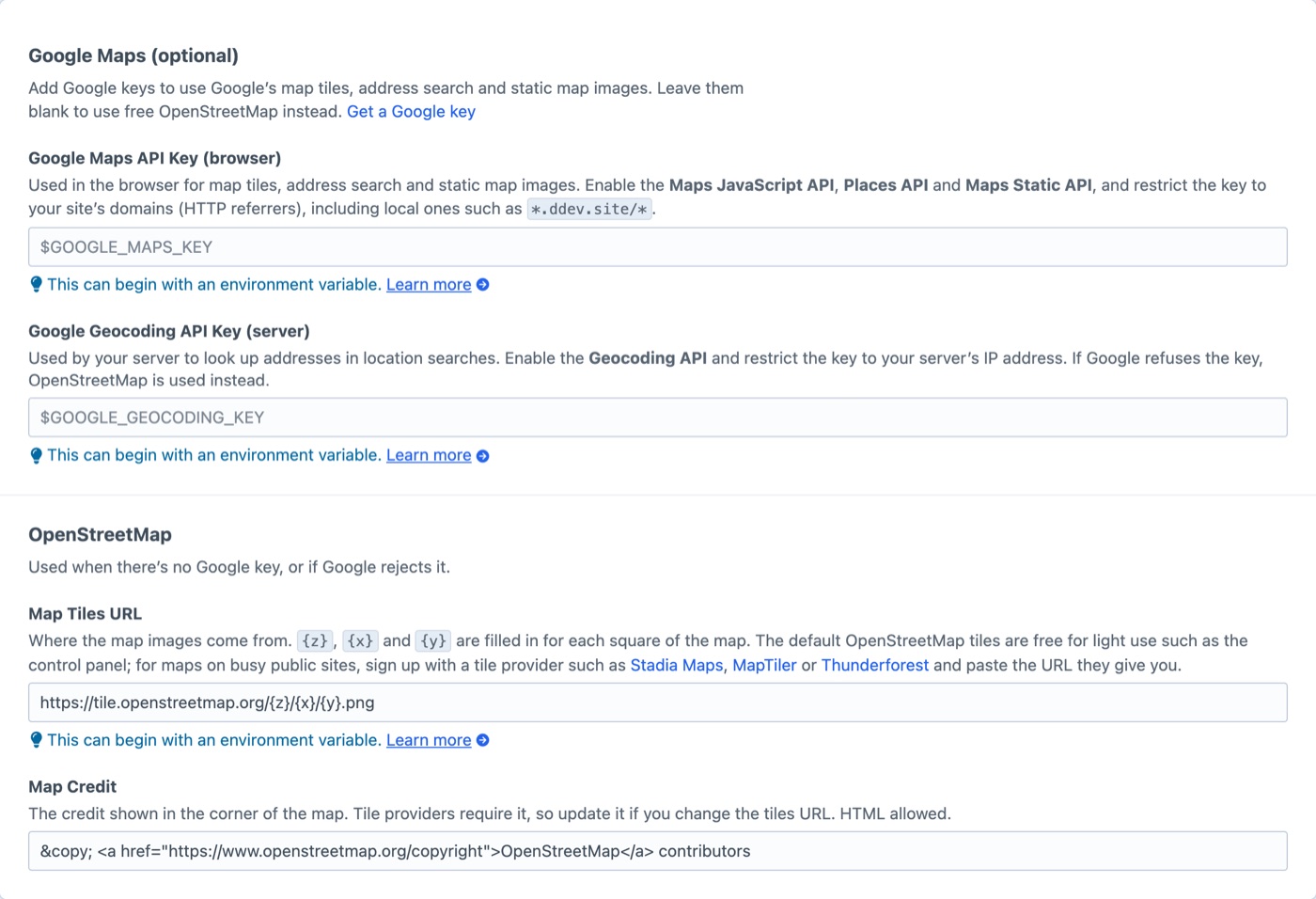
- Google Maps API Key (browser) — enable the Maps JavaScript API, Places API and Maps Static API. Restrict it by HTTP referrer, including your local development domain (e.g.
*.ddev.site/*). - Google Geocoding API Key (server) — enable the Geocoding API. Restrict it by your server’s IP address.
OpenStreetMap tiles on busy sites
The default tile.openstreetmap.org tiles are free for light use, such as the control panel. For public-facing maps on busy sites, set Map Tiles URL to a tile provider such as Stadia Maps, MapTiler or Thunderforest, and update Map Credit to match.
Config File
Create config/geomaps.php to set values per environment. Values can reference environment variables.
php
<?php
return [
'mapToken' => '$GOOGLE_MAPS_KEY',
'geoToken' => '$GOOGLE_GEOCODING_KEY',
'tileUrl' => 'https://tiles.stadiamaps.com/tiles/alidade_smooth/{z}/{x}/{y}{r}.png?api_key=$STADIA_KEY',
'tileAttribution' => '© Stadia Maps © OpenMapTiles © OpenStreetMap contributors',
];Map Services’ Terms
Geo Maps talks to third-party map services on your behalf. Their terms apply to your site:
- OpenStreetMap data must be credited. Geo Maps shows the credit on every map; keep it visible if you restyle maps. The free
tile.openstreetmap.orgtiles and the Nominatim geocoder are for light use only — see the tile and Nominatim usage policies. - Google Maps Platform content (Places search and geocoding results) is meant to be shown on Google maps, and Google limits how long some of it may be stored. If you use Google for address search, use a Google key for your maps too. See the Google Maps Platform terms.