Trail Maps
Walking, running and cycling trails: draw each route as a line, describe it with properties such as difficulty and surface, and show every trail on one map with its length worked out for you.
Setup
- Create a Trails section (handle
trails). - Add a Geo Maps field (handle
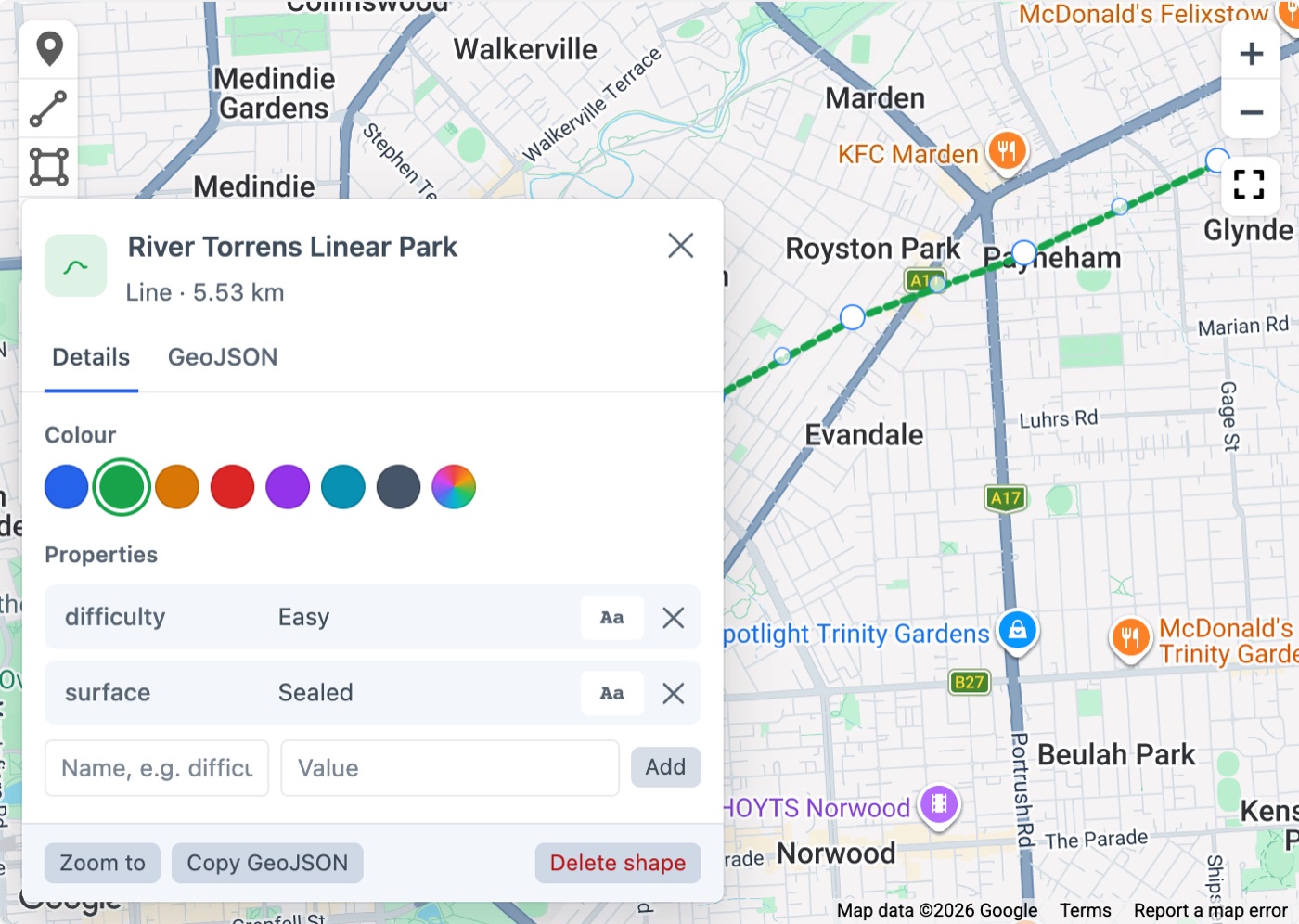
route). In its settings, turn Show Location Pin off, because a trail is a line, not a point. Each trail’s location becomes the centre of its route, so trails can still be searched by distance. - For each trail, draw the route with the line tool. Click the line to open its panel, give it a name, and add properties such as
difficulty(Easy, Moderate or Hard) andsurface. The panel shows the length as you draw.
The trails page
templates/trails/index.twig:
twig
{% extends '_layout' %}

{% set trails = craft.entries()
  .section('trails')
  .route({ location: 'Adelaide, South Australia', radius: 50 })
  .all() %}

{% set difficultyColours = { Easy: '#16a34a', Moderate: '#d97706', Hard: '#dc2626' } %}

{% block content %}
  {# Every trail on one map, each line coloured by its difficulty #}
  {% set features = [] %}
  {% for trail in trails %}
    {% set data = trail.route.getGeoJsonData() %}
    {% set feature = data.type == 'FeatureCollection' ? data.features|first : data %}
    {% set props = feature.properties ?? {} %}
    {% set features = features|merge([feature|merge({
      properties: props|merge({ name: trail.title, color: difficultyColours[props.difficulty] ?? '#2563eb' }),
    })]) %}
  {% endfor %}

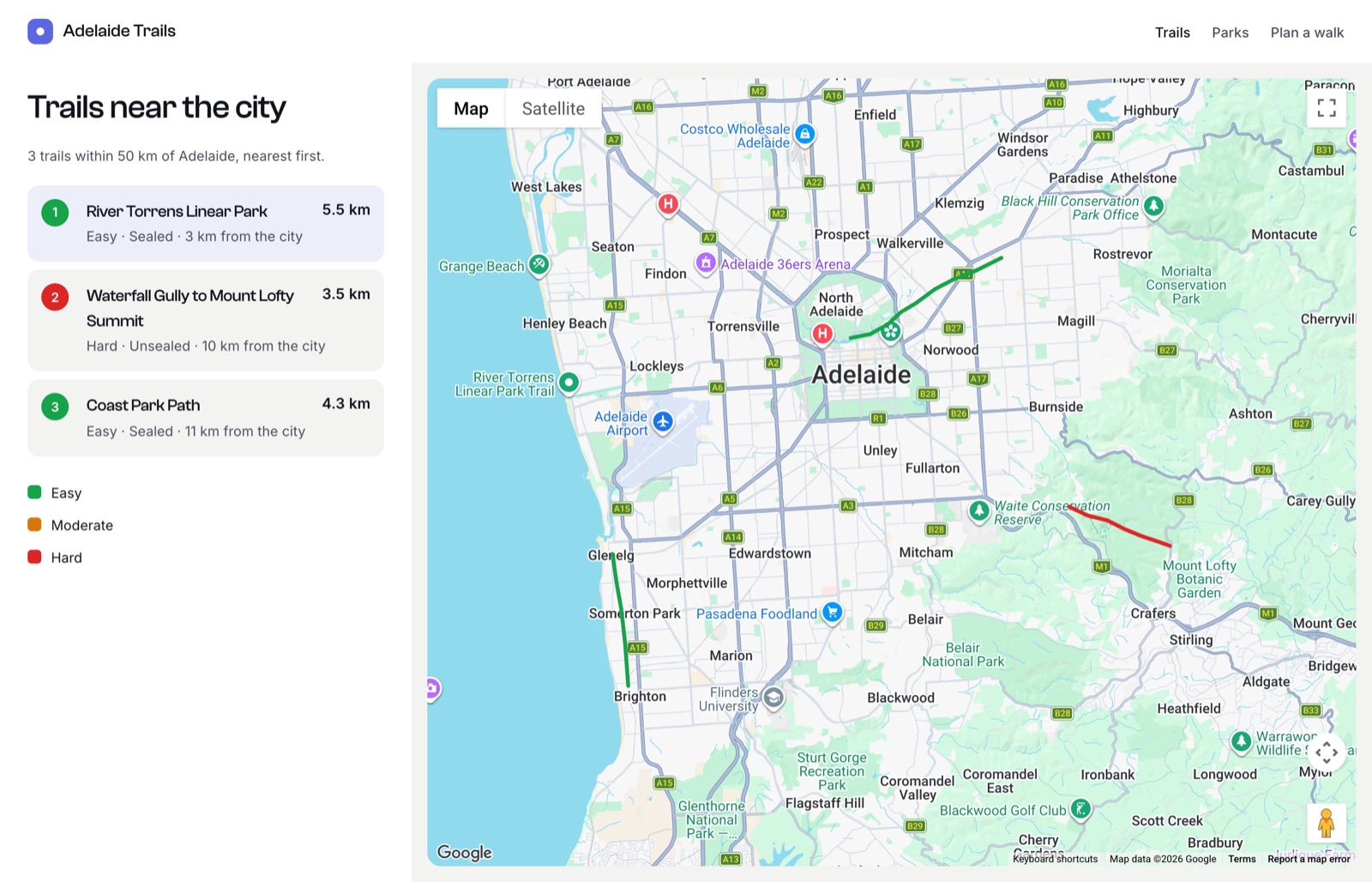
  <h1>Trails near the city</h1>

  {{ craft.geomaps.embed({
    id: 'trails-map',
    width: '100%',
    height: 480,
    marker: false,
    geoJson: { type: 'FeatureCollection', features: features },
  }) }}

  <ol class="trails">
    {% for trail in trails %}
      {% set data = trail.route.getGeoJsonData() %}
      {% set feature = data.type == 'FeatureCollection' ? data.features|first : data %}
      {% set props = feature.properties ?? {} %}
      <li>
        <h2><a href="{{ trail.url }}">{{ trail.title }}</a></h2>
        <p>
          {{ trail.route.length('km')|number_format(1) }} km
          · {{ props.difficulty ?? 'Unrated' }}
          · {{ props.surface ?? '' }}
          · {{ trail.route.distance|number_format(0) }} km from the city
        </p>
      </li>
    {% endfor %}
  </ol>
{% endblock %}
How it works
length()adds up every line on the field, inkm(the default),miorm. It follows the curve of the Earth, so long routes are measured correctly.- Nearest first: the distance search uses the centre of each route, so the trails closest to the visitor come first and each has a
distance. - Colours: lines on front-end maps use their
colorproperty. Here it’s set from the difficulty, so editors don’t have to remember colour codes. Lines are drawn 4px wide by default; set aweightproperty to change it. - Popups: clicking a line shows its
name.
A single trail’s page
Show the route with markers at the start and finish:
twig
{% set data = entry.route.getGeoJsonData() %}
{% set feature = data.type == 'FeatureCollection' ? data.features|first : data %}
{% set points = feature.geometry.coordinates %}
{% set start = points|first %}
{% set finish = points|last %}

<p>{{ entry.route.length('km')|number_format(1) }} km · {{ feature.properties.difficulty ?? '' }}</p>

{{ entry.route.embed({
  width: '100%',
  height: 420,
  markers: [
    { location: { lat: start[1], lng: start[0] }, label: 'Start', color: '#16a34a' },
    { location: { lat: finish[1], lng: finish[0] }, label: 'Finish', color: '#dc2626' },
  ],
}) }}
GeoJSON stores positions as [longitude, latitude], so start[1] is the latitude.
Areas instead of lines
The same pattern works for parks, reserves or council areas drawn as polygons. Use area() to show their size:
twig
{{ entry.route.area('ha')|number_format(1) }} hectaresarea() accepts km2 (the default), ha, m2, mi2 and acres, and leaves out any holes cut into the shape.