Delivery Zones for Craft Commerce Pro
Charge for delivery by where the customer lives. Draw your delivery areas on a map, then use them in Craft Commerce shipping rules, shipping methods and discounts. No templates or code: Geo Maps adds two conditions to Commerce's condition builder.
| Condition | Matches orders when |
|---|---|
| Delivery address is in zone | The shipping address is inside one of the chosen drawn areas, or with is not one of, outside all of them |
| Delivery distance (km) | The shipping address is less than, more than or between distances from your store, in a straight line |
Needs Craft Commerce 5.
1. Draw the zones
- Create a Delivery Zones section (handle
deliveryZones). - Add a Geo Maps field (handle
zoneArea). In its settings, turn Show Location Pin off and keep Enable Drawing & GeoJSON on. - Create an entry per zone, such as “Inner suburbs”, and draw it with the polygon tool, or Upload a
.geojsonfile. Use the cut tool to leave out areas you don't deliver to.
Any entry with a drawn area can be a zone, so a store's own delivery area works too, as in the delivery fee checker. Zones are listed in the condition as “Section: Title”.
2. Set the store's address
For Delivery distance, distances are measured from the store's address. Set it in Commerce → Store Management, under Store Location.
3. Add the shipping rules
In Commerce → Store Management → Shipping Methods, create a method such as Local delivery, and add a rule per price. Commerce uses the first rule that matches, in the order they're listed:
| Rule | Condition | Base rate |
|---|---|---|
| Inner suburbs | Delivery address is in zone · is one of · Delivery Zones: Inner suburbs | $5 |
| Within 10 km | Delivery distance (km) · is less than or equals · 10 | $9 |
| 10 to 30 km | Delivery distance (km) · is between · 10 and 30 | $15 |
An address in the zone pays $5, one 8 km away pays $9, one 25 km away pays $15. When no rule matches, Commerce doesn't offer the method at all, so further away customers can't choose Local delivery.
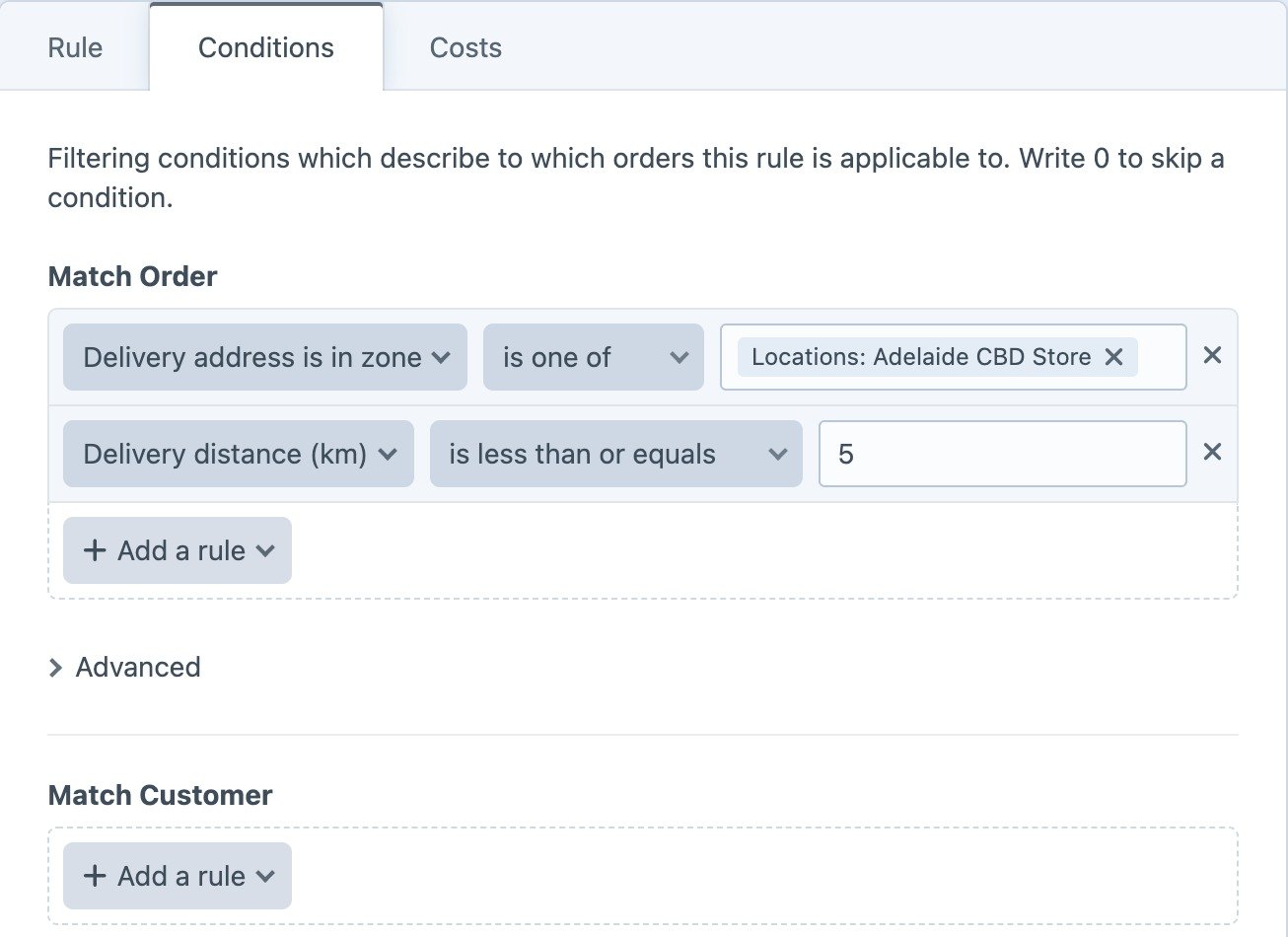
Use both conditions in one rule to match orders that meet both, such as a zone around the store but no further than 5 km.
Free delivery in a zone
The same conditions are in discounts. For free delivery to one zone on orders over $50:
- Go to Commerce → Store Management → Discounts and create a discount.
- Under Conditions → Match Order, add Delivery address is in zone and choose the zone, and Item Subtotal is greater than 50.
- Under Actions, turn on Remove all shipping costs from the order.
Telling customers you don't deliver
When the cart has an address but no shipping method matches, show a message on the shipping step of your checkout:
{% set options = cart.getAvailableShippingMethodOptions() %}
{% set address = cart.shippingAddress ?? cart.estimatedShippingAddress %}

{% if address and not options|length %}
  <p class="notice">Sorry, we don’t deliver to {{ address.locality }} yet.</p>
{% else %}
  {% for handle, option in options %}
    <label>
      <input type="radio" name="shippingMethodHandle" value="{{ handle }}" {{ cart.shippingMethodHandle == handle ? 'checked' }}>
      {{ option.name }}: {{ option.priceAsCurrency }}
    </label>
  {% endfor %}
{% endif %}
How it works
- Addresses: the shipping address is used, or the estimated shipping address before checkout. Addresses with coordinates use them; others are looked up with your map service. An address that can't be found matches neither is one of nor is not one of, and no distance.
- Zones respect cut-out holes. Disabled zone entries still count, so remove a zone from the rule to stop using it.
- Distances are in a straight line, not by road, so allow a margin for rivers and hills.
- Without Pro, the conditions stay on your rules but match no orders, and Craft logs a warning. A shipping rule that uses them isn't offered, rather than being applied to every order.