Locator with Filters
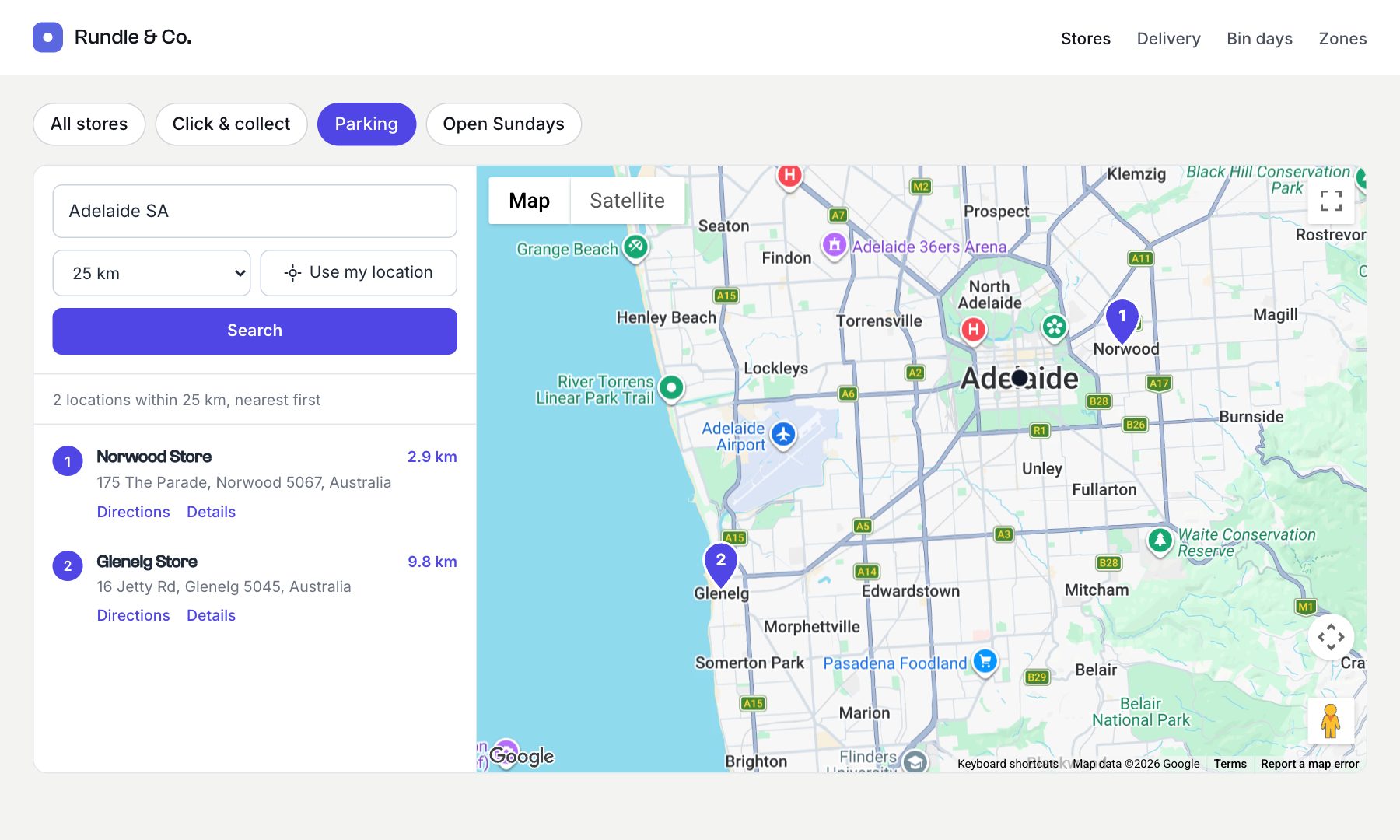
Let visitors narrow the locator component to stores that offer a service, such as “Click & collect” or “Parking”, while keeping their search.
locator() takes any element query as query, so filtering is ordinary Craft: relate stores to categories, and pass a query filtered by the chosen category.
The content
Create a category group called Services (services) with categories such as Click & collect, Parking and Open Sundays, and add a Categories field called Services (services) to your stores.
The template
{% set request = craft.app.request %}
{% set chosen = request.getQueryParam('service') %}
{% set service = chosen ? craft.categories.group('services').slug(chosen).one() : null %}

{% set stores = craft.entries.section('stores') %}
{% if service %}
  {% set stores = stores.relatedTo({ targetElement: service, field: 'services' }) %}
{% endif %}

{# Filter links keep the visitor's search (the `near` parameters) in the URL. #}
<nav class="filters" aria-label="Filter by service">
  <a href="{{ url(request.pathInfo, request.queryParams|filter((v, k) => k != 'service')) }}"
     {{ not service ? 'aria-current="true"' }}>All stores</a>
  {% for category in craft.categories.group('services').all() %}
    <a href="{{ url(request.pathInfo, request.queryParams|merge({ service: category.slug })) }}"
       {{ service and service.id == category.id ? 'aria-current="true"' }}>{{ category.title }}</a>
  {% endfor %}
</nav>

{{ craft.geomaps.locator({
  query: stores,
  field: 'storeLocation',
}) }}.filters { display: flex; flex-wrap: wrap; gap: 8px; margin-bottom: 16px; }
.filters a { padding: 6px 14px; border: 1px solid #d4d4d8; border-radius: 999px; text-decoration: none; color: inherit; }
.filters a[aria-current] { background: #4f46e5; border-color: #4f46e5; color: #fff; }The locator’s own search form keeps the filter too: the chosen service stays in the page URL when visitors search again, because the locator copies the page’s other URL parameters into its search form.
Several filters at once
To match stores with all the ticked services, use checkboxes named service[] and relate to each:
{% set chosen = craft.app.request.getQueryParam('service') ?? [] %}
{% set services = craft.categories.group('services').slug(chosen).all() %}
{% set stores = craft.entries.section('stores') %}
{% if services %}
  {% set stores = stores.relatedTo(['and']|merge(services|map(s => { targetElement: s, field: 'services' }))) %}
{% endif %}